
Invoice ASAP: Field Service
InvoiceASAPBusiness
4.0339.00 Reviews
- Version
- 4.22.1
- Installs
- 100.00K
- Age Rating
- Everyone
Screenshots

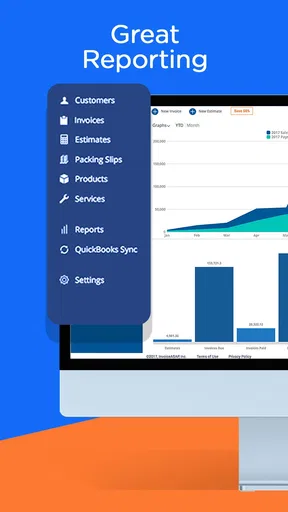
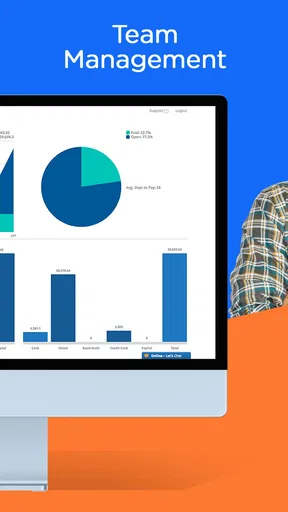
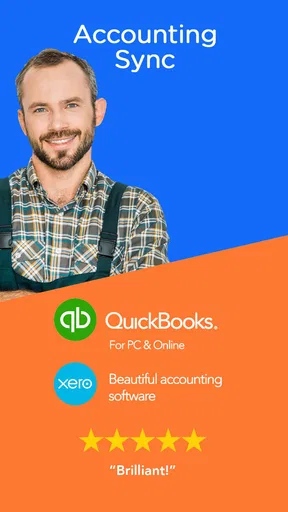
Our Review of Invoice ASAP: Field Service
 Analysis by Appyee
When I finish a field job, paperwork is often the last thing I want to handle. Yet delaying an invoice can mean forgotten details, a longer wait to bill, and a messy end-of-month catch-up. Invoice ASAP: Field Service is aimed at breaking that cycle by bringing invoicing and related bookkeeping tasks onto a mobile device. I see its strongest appeal in the short gap after a visit: while the work and agreed costs are still fresh, I can prepare the next business step instead of leaving it for later.
This is a business app from InvoiceASAP, and its focus is practical rather than broad: help service professionals deal with estimates, invoices, payments, and expenses while away from a desk. That narrow purpose is useful if paperwork repeatedly interrupts the working day. It is less compelling if you need a full operations system for scheduling crews, tracking inventory, or managing complex projects. I would judge it by whether it reduces the small administrative delays that build up between jobs, not by whether it replaces every tool a business might use.
Getting Started with Invoice ASAP
First things first, downloading Invoice ASAP: Field Service was a breeze. Available on both Android and iOS, the app is lightweight and doesn’t take up much storage space. Once installed, setting it up was surprisingly straightforward. I was prompted to create an account, which didn’t take more than a few minutes.
The interface is clean and intuitive, designed with the user in mind. I didn’t find myself fumbling around trying to figure out what to do next. The dashboard is neatly laid out, offering quick access to all the key features. This is crucial for busy professionals who need to get things done quickly.
Before relying on any invoicing app for real work, I’d spend a quiet moment setting up the basics and checking how the finished invoice looks. Add the details you routinely need, then review a sample document as if you were the customer receiving it. That small check can catch missing business information or unclear descriptions before they become a client-facing problem. It also helps establish a repeatable habit: record the job promptly, make the bill readable, and send it while the visit is still easy to recall.
The app is free to install, with optional in-app purchases priced from around a dollar to about fifteen dollars per item. I’d treat that as a reason to check what a particular paid option unlocks before building it into a workflow, rather than assuming every useful tool is included at no cost. For a solo tradesperson trying to reduce paperwork, starting with the core routine first makes sense: create an estimate when needed, turn completed work into an invoice, and record expenses as they happen. If that sequence fits, then consider whether any paid additions solve a real bottleneck.
Features That Stand Out
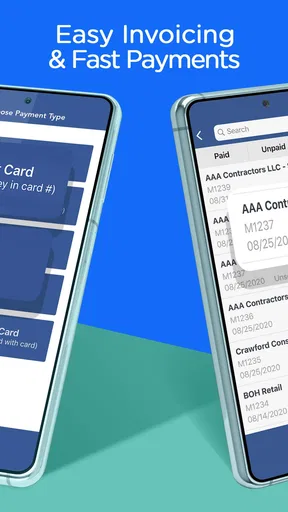
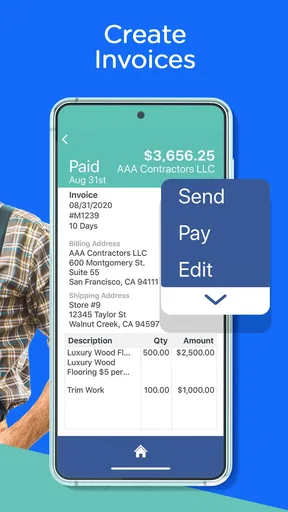
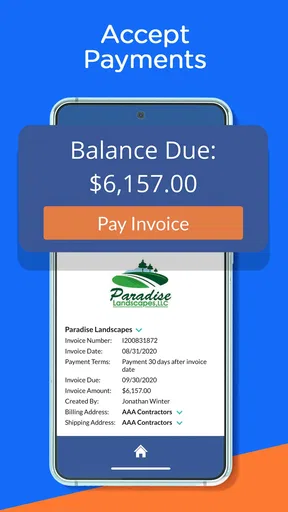
One of the standout features of this app is its ability to generate invoices on the fly. Whether you’re in the field or at a coffee shop, you can create and send professional invoices in seconds. The app supports various payment methods, making it incredibly convenient for clients to pay you without any hassle.
Beyond invoicing, Invoice ASAP offers the ability to track expenses and manage estimates. This is perfect for those who need a comprehensive financial management tool. I found the expense tracking feature particularly useful. It allowed me to log expenses as they happened, which meant no more scrambling to remember where that $50 went at the end of the month.
A useful way to think about estimates is as part of the customer conversation, not just a preliminary invoice. If a client asks for a price while I’m on site, I can capture the proposed work before the details blur together. I would still make the scope plain: note what the estimate covers and make sure any later changes are reflected in the final bill. That discipline matters more than the speed of tapping through a form; a quick estimate is only helpful if both sides understand what they agreed to.
Expense logging has a similar practical advantage. Instead of trying to reconstruct purchases from memory, I can make a brief note at the moment an expense happens and keep the context attached to it in my own workflow. For example, after buying a replacement part for a particular service call, I’d record it before driving to the next job. The trade-off is that a few seconds of consistent entry are required. If I let several days pass, the app cannot remove the uncertainty about which purchase belonged to which job.
Simplicity Meets Functionality
What I really appreciated was the app’s balance between simplicity and functionality. The developers clearly understand that users need a tool that’s both powerful and easy to use. The app doesn’t overwhelm you with unnecessary features but focuses on what’s essential for field service professionals.
Additionally, the app integrates smoothly with QuickBooks, which is a huge plus if you’re already using that for your accounting needs. The synchronization is seamless, ensuring that your data stays up-to-date across platforms.
That connection makes the app more attractive as a front-line tool than as a replacement for accounting software. I’d use the mobile workflow to capture ordinary transactions and then rely on the accounting setup for broader oversight. Before making that a routine, I would check that the information I enter is organized the way I expect when it reaches QuickBooks. Keeping descriptions consistent—for example, using the same clear wording for recurring kinds of work—can make later review less tedious.
This is also where it differs from a general accounting package. A desktop-first bookkeeping product may offer a wider view of a company’s finances, while a paper invoice pad has almost no setup but leaves sending, tracking, and later reconciliation to me. This app sits between those choices: more structured than paper and more mobile-minded than a full accounting workspace. That middle ground is a good fit when the immediate problem is completing business paperwork between appointments, not analyzing every part of the company from one screen.
On-the-Go Access
Being a field service app, mobility is key, and Invoice ASAP excels in this department. The mobile access is top-notch, allowing you to manage your invoices and expenses from anywhere. Whether you’re at a client’s office or traveling, your business is always at your fingertips.
Plus, the app doesn’t require constant internet access. You can work offline and sync your data later when you’re back online. This feature is a lifesaver for those moments when you’re stuck in a spotty Wi-Fi area.
Offline work is most valuable when I plan for the connection to return. I’d enter the information I can verify on site, then make syncing part of the next reliable pause in the day rather than assuming a client has received an invoice immediately. That distinction is important: being able to keep working without a connection does not mean every action has already reached the other person. If a customer is waiting for a document or payment step, I’d confirm that the device is back online and the work has synchronized before treating the task as complete.
Consider a realistic day with several small jobs. After finishing a repair, I can make an invoice while the materials and agreed work are still clear. At the next stop, I might prepare an estimate instead of promising to send one from home later. If a supply purchase comes up between visits, I can log the expense before it disappears into a receipt pile. None of those actions is dramatic on its own; the benefit is that each one prevents a separate memory task from following me through the evening.
For a team, I would be more deliberate before making the app the shared source of truth. A solo worker can often decide on a simple routine without coordinating with anyone else. Once several people create or update business records, consistent naming and clear responsibility become more important. I’d agree on who enters expenses, who checks estimates, and when invoices are considered ready to send. The app can make field entry easier, but a team still needs an agreed process around it.
Customer Support and Reliability
Customer support can make or break an app experience, and I found the support team for Invoice ASAP to be responsive and helpful. Whenever I had a question, they were quick to provide clear and concise answers. This reliability extends to the app itself, which performed smoothly without any noticeable bugs or glitches during my use.
It has been available since March 10, 2014, and the current version is 4.21.1. It has a 4.0 average from 936 ratings, with 336 written reviews and more than 100,000 installs. Those figures suggest that it has an established audience, though they can’t tell me whether its particular workflow will suit a specific business. It is rated for Everyone and requires Android 8.0 or later; iOS users can also find it on that platform.
For reliability in day-to-day use, I’d separate the app’s convenience from the business checks that still belong to me. Before sending, read the invoice as a customer would: confirm the work description, amounts, and recipient. Before relying on a saved record for accounting, check that it appears where expected after synchronization. These are sensible habits with any mobile billing tool, and they matter especially when a quick field entry becomes an official record.
Who It Suits—and Where It Falls Short
I’d recommend trying it if you run a small service business, work alone, or spend enough time away from a desk that paperwork tends to collect until evening. It can be particularly useful for people who issue straightforward estimates and invoices, accept customer payments through supported methods, and want to keep everyday expenses from slipping through the cracks. The app’s value is not that it eliminates every administrative task; it helps move several of them closer to the moment they happen.
I’d look elsewhere if your main need is a broader business platform with detailed staff coordination, scheduling, inventory control, or project oversight. Likewise, if you already have a polished invoicing and accounting process that works comfortably on a phone, adding another tool may create duplicate entry rather than save time. A simple spreadsheet or paper process can remain adequate for very occasional billing, while a fuller accounting product may be better when financial reporting and centralized business management matter more than quick field invoicing.
There is also a small but important habit cost. Mobile access makes it easier to act immediately, but it still depends on entering accurate details and checking what has been saved or sent. Someone who routinely leaves records incomplete may simply move the mess from a desk to a phone. I would start with one repeatable job-to-invoice routine and see whether it genuinely reduces follow-up work before moving every financial task into the app.
Final Thoughts
In conclusion, if you’re looking for a robust and user-friendly invoicing solution, Invoice ASAP: Field Service is worth a try. It combines simplicity with powerful features, making it ideal for field service professionals who need to manage their finances efficiently. The integration with QuickBooks and the ability to work offline are just the cherries on top.
Try it out for yourself and see how it can transform the way you handle invoicing and financial management on the go. Who knows, it might just become your new favorite business tool.
My practical test would be to use it for a handful of ordinary jobs, including one estimate, one completed invoice, and an expense that would otherwise be easy to forget. Then I’d check whether the records are clear, whether the handoff to QuickBooks fits my bookkeeping routine, and whether offline work behaves as expected once I reconnect. That trial gives a more useful answer than judging the dashboard alone.
Overall, this is a focused choice for reducing the lag between doing field work and recording what it cost or earned. I like it best for a mobile professional who values fast, direct administration and is willing to keep entries tidy. If that describes your working day, it is worth exploring; if you need a complete business-management suite, I’d choose a broader tool instead.
Verdict
Strengths of Invoice ASAP: Field Service
- User-friendly interface for quick navigation.
- Real-time data sync across devices.
- Customizable invoice templates available.
- Supports multiple currencies and languages.
- Integration with popular payment gateways.
Limitations of Invoice ASAP: Field Service
- Limited offline functionality.
- Occasional sync delays reported.
- Some advanced features require paid plans.
- Customer support response can be slow.
- UI may feel outdated to some users.
Similar Picks in This Category
View All
LinkedIn: Community & Network
LinkedIn3.8

Zoom Workplace
zoom.com4.1

Microsoft Teams
Microsoft Corporation4.6

Meta Business Suite
Meta Platforms, Inc.4.6

Webex Meetings
Cisco Systems, Inc.4.5

TeamViewer Remote Control
TeamViewer4.4
Frequently Asked Questions
What is Invoice ASAP: Field Service used for?
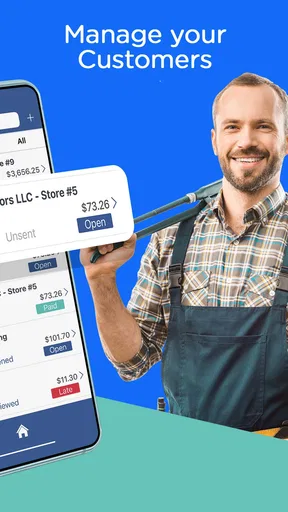
Invoice ASAP: Field Service is designed to help businesses manage invoicing and field service operations efficiently. It allows users to create and send invoices, estimates, and work orders directly from their mobile device. The app is ideal for contractors, service professionals, and small business owners who need a reliable solution for billing and job management on the go.
Is Invoice ASAP compatible with both Android and iOS devices?
Yes, Invoice ASAP: Field Service is available for both Android and iOS platforms. This cross-platform compatibility ensures that users can operate the app on a wide range of smartphones and tablets, making it convenient for businesses with diverse device preferences. The app is optimized for seamless functionality across different operating systems.
Does Invoice ASAP integrate with other accounting software?
Invoice ASAP offers integration with popular accounting software like QuickBooks and Xero. This feature allows users to sync their invoices and financial data, streamlining bookkeeping and reducing manual entry errors. Such integration is beneficial for businesses seeking to maintain accurate financial records and enhance productivity.
Can I customize invoices and estimates in Invoice ASAP?
Yes, Invoice ASAP provides customization options for invoices and estimates. Users can personalize their documents with company logos, color schemes, and specific terms or notes. This level of customization helps businesses maintain brand consistency and communicate clearly with clients, enhancing professional presentation.
Is there a subscription fee for using Invoice ASAP?
Invoice ASAP offers a free version with basic features, but there are also premium plans available that provide additional functionalities such as advanced reporting, more integrations, and increased storage. Users can choose a subscription plan that best suits their business needs, ensuring they only pay for features they require.
